Convert files
where they are.
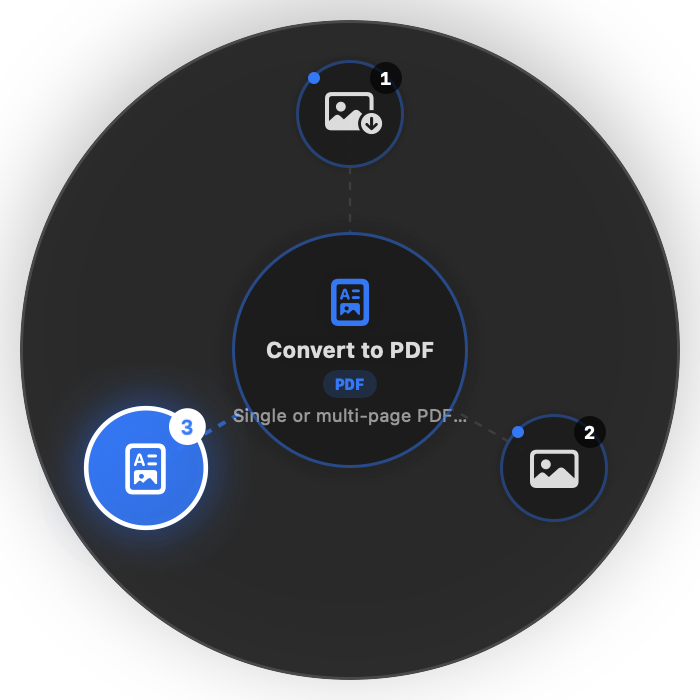
Shift-drag on the Desktop or Finder. A radial menu appears and converts files beside your originals — in milliseconds. Nothing ever leaves your Mac.
Live Preview & Screenshots
"Tired of uploading a PNG just to convert it. Shift-drag on the Desktop — done. Files never leave the machine."
How it works
Two ways to convert. Zero friction.
Trigger the HUD right where your files live with Shift-drag, or open Fettle for dedicated drop zones and batch jobs.
Shift-drag. Pick a slice.
Hold Shift while dragging files in Finder or on your Desktop. The native radial HUD blooms directly anchored to your cursor. Tap hotkeys 1–3 or release on a node to convert in place.
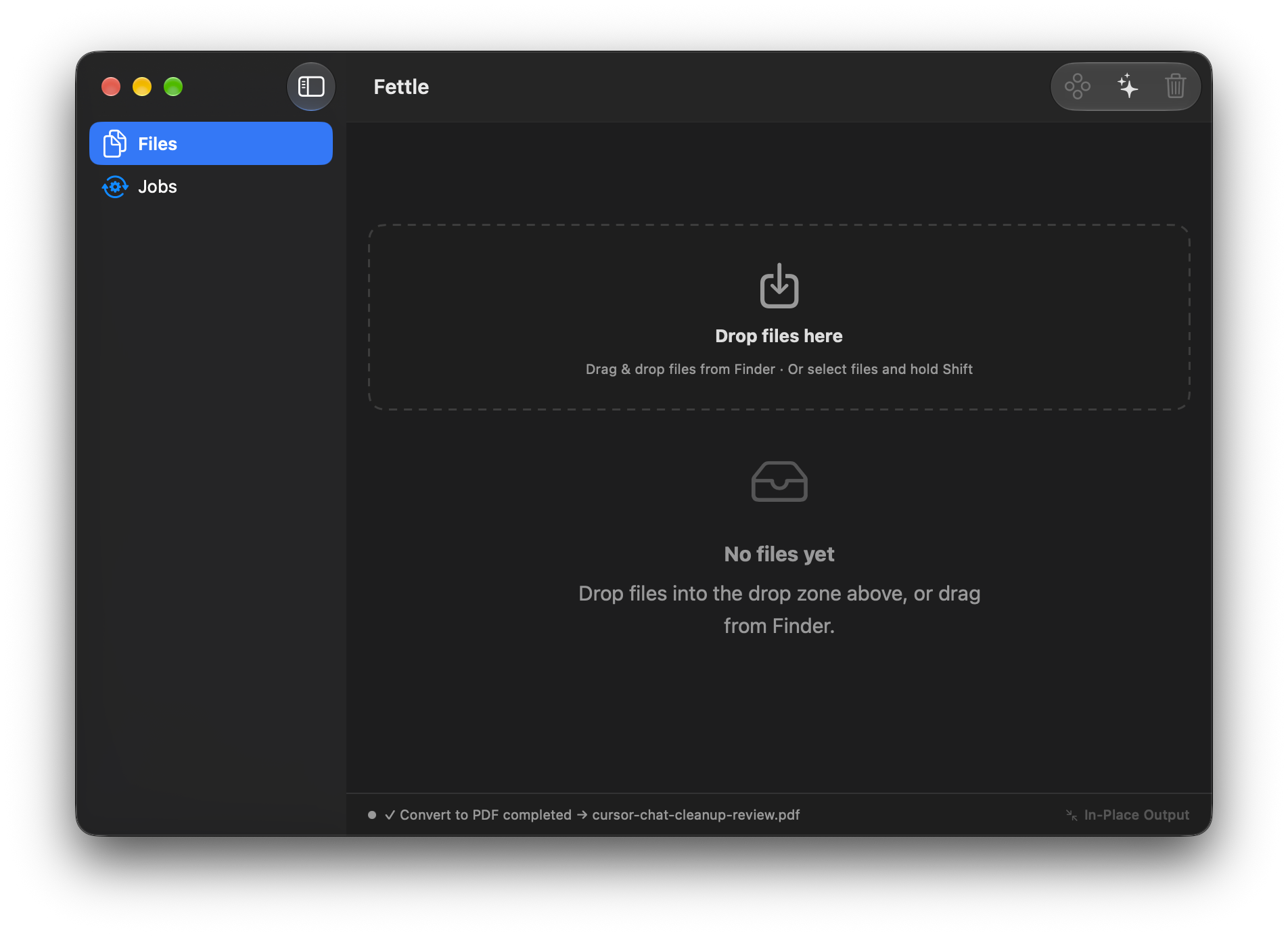
Or drop files into the app window.
Prefer a dedicated workspace or converting multiple files at once? Drag and drop directly into the Fettle drop zone. Inspect loaded files, track real-time job queues, and generate collision-safe in-place outputs.
Formats & Actions
What it reaches for
40+ built-in conversion presets using native Apple frameworks. No extra installs unless you want FFmpeg / ImageMagick.
Images
PNG ↔ JPEG, WebP, HEIC → JPEG, 50% resize, strip EXIF metadata. The conversions you do every day.
PDF & Docs
Merge, split pages, images → PDF, Word / RTF → PDF — using Apple PDFKit, no dependencies.
Media & Files
Extract audio from video, convert to MP4, grab thumbnails. Reveal, copy path, duplicate safely.
Privacy-first
It converts the file — not a copy in the cloud.
No account required. No upload. Your files never leave the machine. Not during conversion, not ever.
100% on your Mac
Every conversion happens on-device using Apple Image I/O, PDFKit, and AVFoundation. No network call is ever made for your files.
Collision-safe output
Converted files land right beside your originals. If the name exists, Fettle auto-increments — `photo (1).webp` — never overwrites.
MIT open source
Every line of Swift is publicly auditable on GitHub. No tracking, no telemetry, no analytics embedded in the app.
Launching Fettle for the first time
Fettle is 100% free and open-source software. Because it is built independently without an Apple Developer subscription, macOS takes a quick one-time confirmation before running.
Drag to Applications
Open Fettle-macOS.dmg and drag Fettle.app into your Applications folder.
Control-Click → Open
Hold ⌃ Control and click Fettle.app in Finder, then choose Open from the menu.
Click "Open Anyway"
Click Open Anyway on the system prompt. macOS saves this permanently — you will never be asked again.
100% Private, Native & Auditable
Zero telemetry, no background analytics, and no cloud upload. Everything executes locally on Apple Silicon & Intel.
Get Fettle for Mac
Minimal native utility — free, private, open source. Runs silently in your menu bar.
Requires macOS 14.0 or later · Universal Binary (Apple Silicon & Intel) · MIT License